

What this does for you
- ₹500 billing credit for every therapist you refer who starts using PsychDesk.
- The therapist you invite gets ₹500 credit too, so it is a genuine favour to a colleague.
- A clear view of who has signed up and what you have earned.
Before you start
- Your bank details are saved. The page asks for bank details for referral payouts. See Quick Setup, step 5. If they are missing, the page shows a Bank Details Required for Payouts notice with an Add Bank Details button.
The Invite & Earn page
Click Invite & Earn in the left-hand menu.
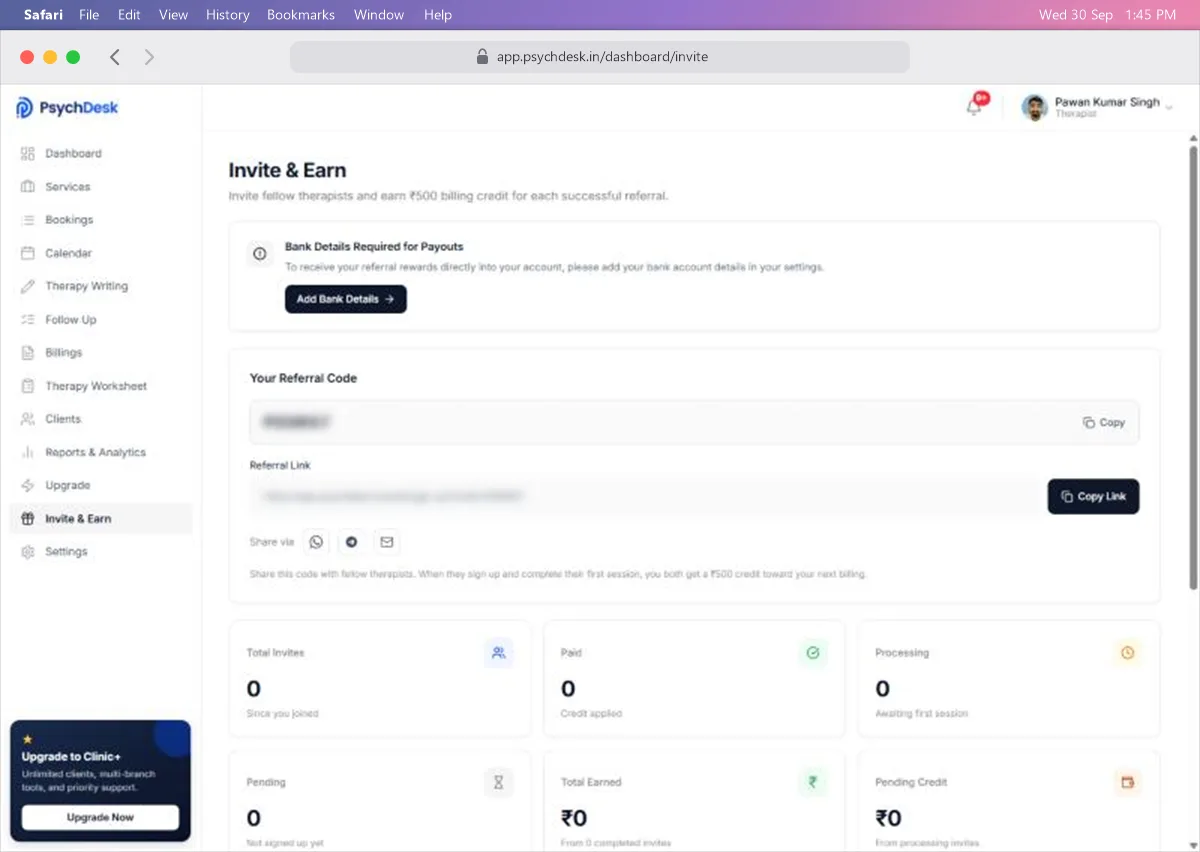
Your Referral Code is a short code unique to you. Click Copy to copy it.
Referral Link is a sign-up link with your code already built in. Click Copy Link to copy it.
Share via sends your link straight from the page, by WhatsApp, Telegram or email.
Invite a therapist
- 1Choose how to share:
- Click the WhatsApp, Telegram or email icon under Share via, or
- Click Copy Link and paste it into a message, or
- Click Copy and tell them the code to enter when they sign up.
- 2Add a short personal note. A line about why PsychDesk works for you is more convincing than the link alone.
- 3Send it.
The link is the easiest option for the person you invite, because the code is filled in for them.
How the reward works
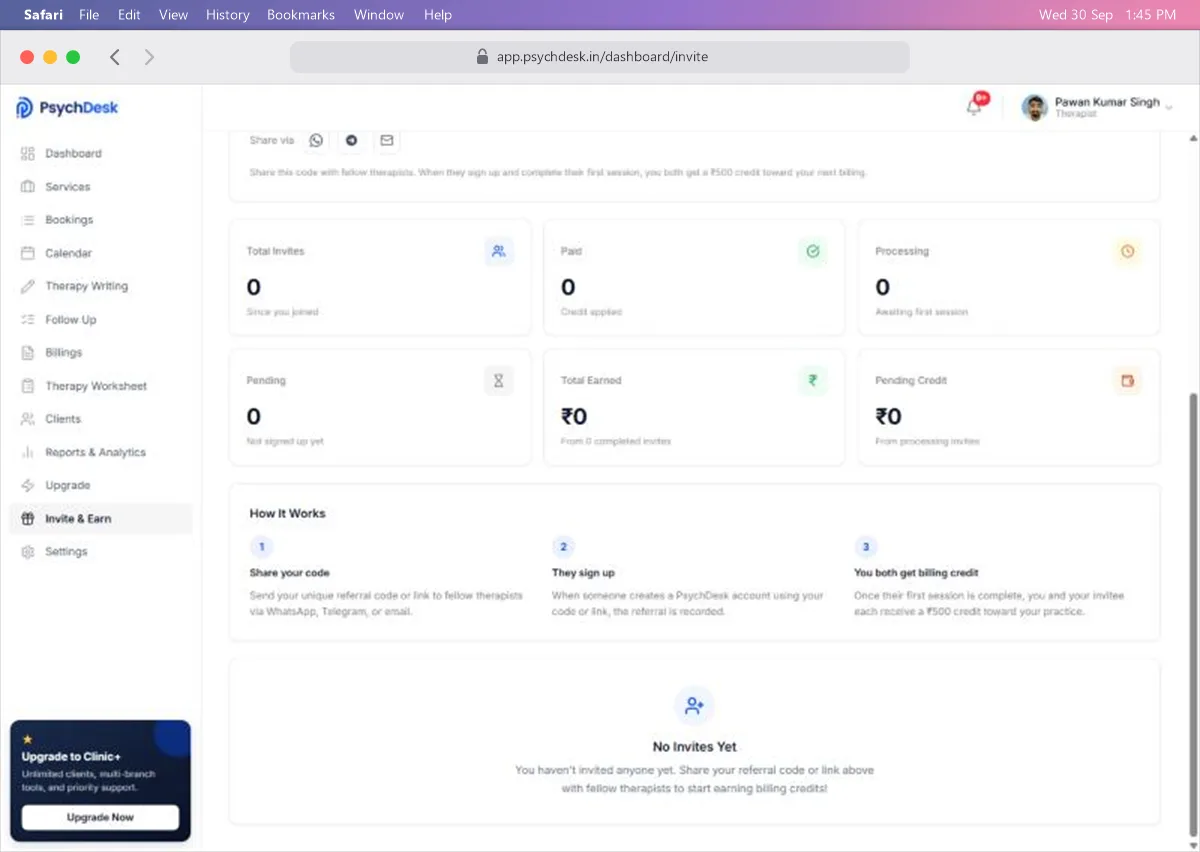
- 1Share your code. Send your code or link to a fellow therapist.
- 2They sign up. When they create a PsychDesk account using your code or link, the referral is recorded.
- 3You both get billing credit. Once their first session is complete, you and they each receive ₹500 credit.
Track your invites
The cards on the page show where each invite stands:
| Card | What it counts |
|---|---|
| Total Invites | Everyone who has used your code since you joined |
| Paid | Invites where the credit has been applied |
| Processing | Therapists who have signed up but not yet completed their first session |
| Pending | People you invited who have not signed up yet |
| Total Earned | Credit earned from completed invites |
| Pending Credit | Credit you will earn once processing invites complete their first session |
Your invites are listed at the bottom of the page. Until someone signs up, it shows No Invites Yet.
Tips for inviting colleagues
- Invite therapists you know and trust, such as peers from your training, supervision group or professional association.
- Offer to show them how you use PsychDesk. A short walkthrough helps them reach their first session, which is when you both get the credit.
- Share the Introduction and Quick Setup guides so they can get started on their own.
Check it worked
- 1Ask a colleague to sign up with your link.
- 2Open Invite & Earn and confirm Total Invites has gone up and the invite shows under Processing.
- 3After their first session, confirm it moves to Paid and Total Earned increases by ₹500.
Common problems
| Problem | Likely cause | Fix |
|---|---|---|
| A colleague signed up but is not counted | They signed up without your link or code | Always send the link, so the code is applied automatically |
| An invite stays in Processing | They have not completed a session yet | Help them set up and book their first session |
| No payout received | Bank details are missing | Add them under Settings > Bank Details |
What to set up next
- Review your profile and practice details: see Quick Setup.