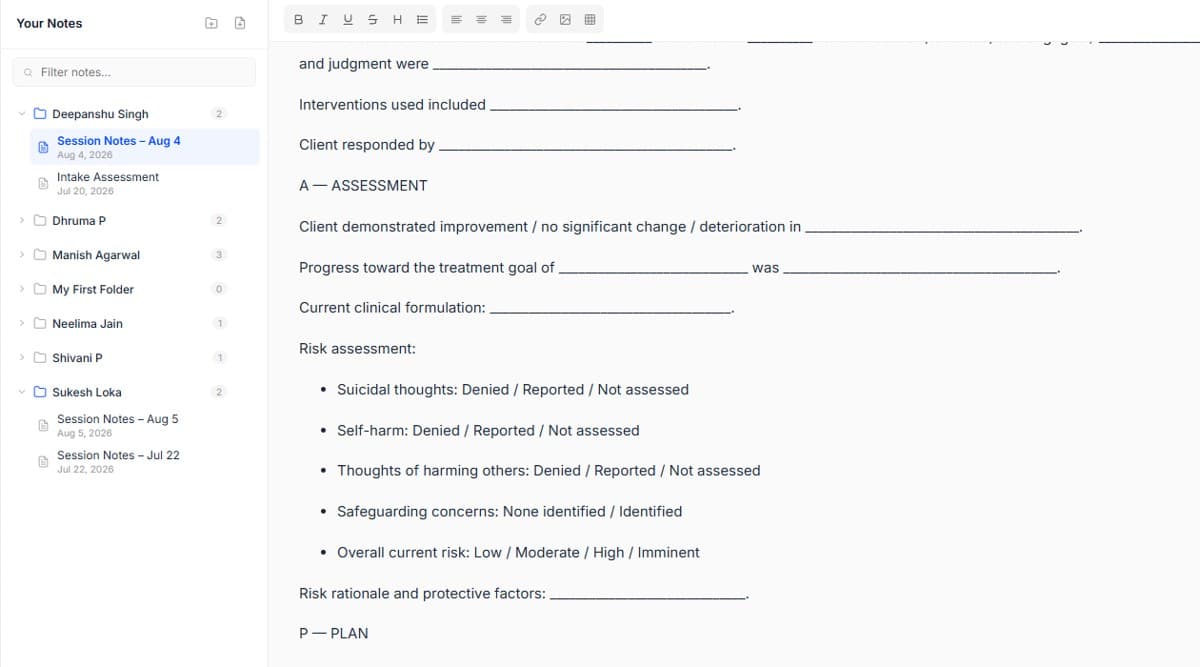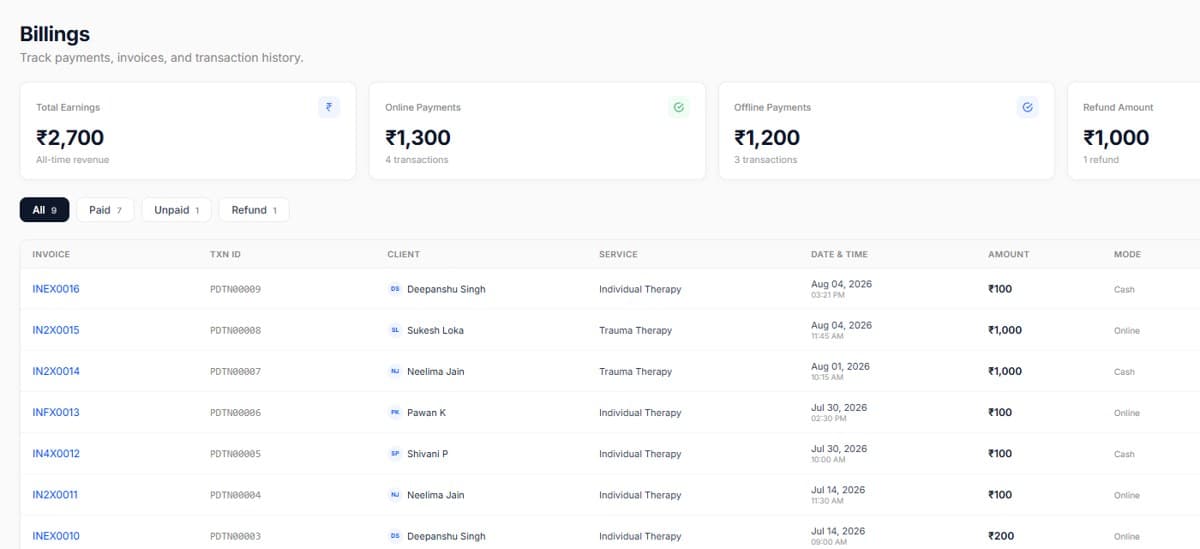
Create your practice
Add your practice name, timezone and location. Solo practitioners can skip the branch setup entirely, you can add branches later without redoing anything.
This is the only tutorial you have to finish in one sitting. By the end your practice exists, your services are priced, your calendar knows when you work, and you can accept a real booking.
Add your practice name, timezone and location. Solo practitioners can skip the branch setup entirely, you can add branches later without redoing anything.
Each service carries its own duration, fee and session mode. Most therapists start with three: individual therapy, couples therapy and an intake consultation.
Block the hours you actually see clients, add breaks between sessions, and set how far ahead people can book. Your calendar will never offer a slot you did not open.
Book a test session on your own calendar to see the full flow, confirmation, reminder, session card and note template all fire the way a client would experience it.
Real screens from the product, so you know exactly what to expect before you start.
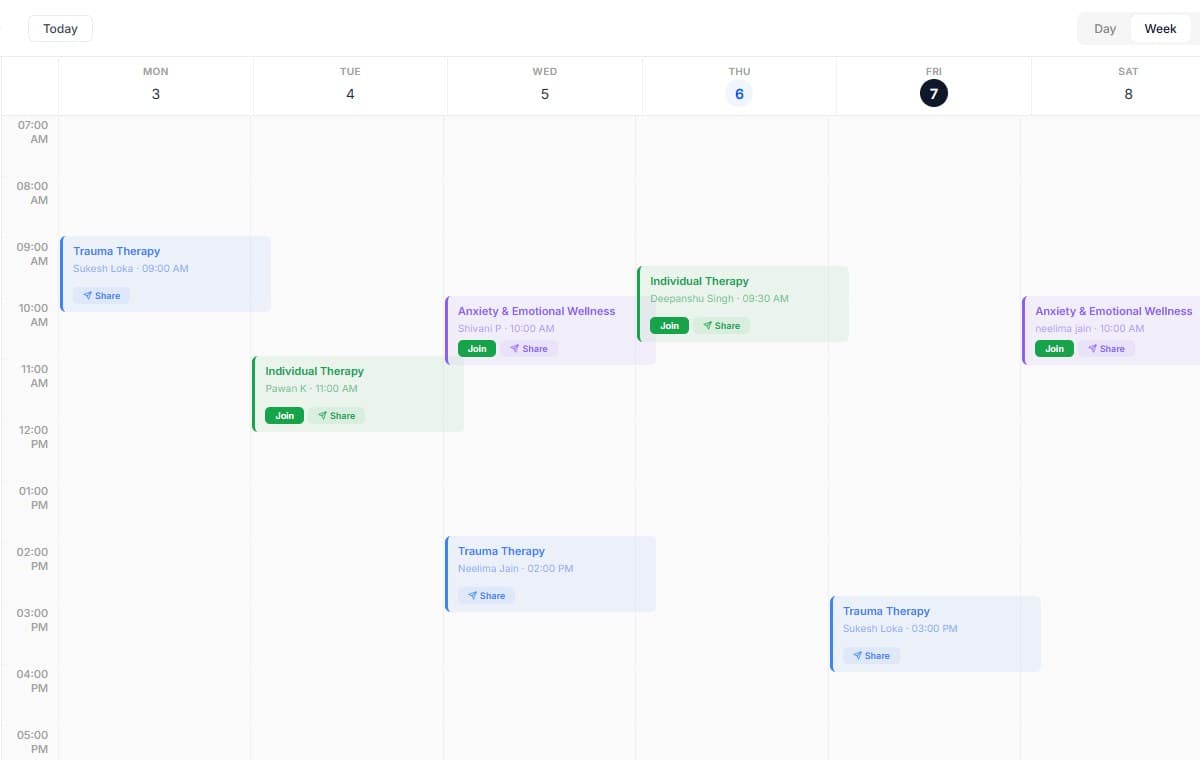
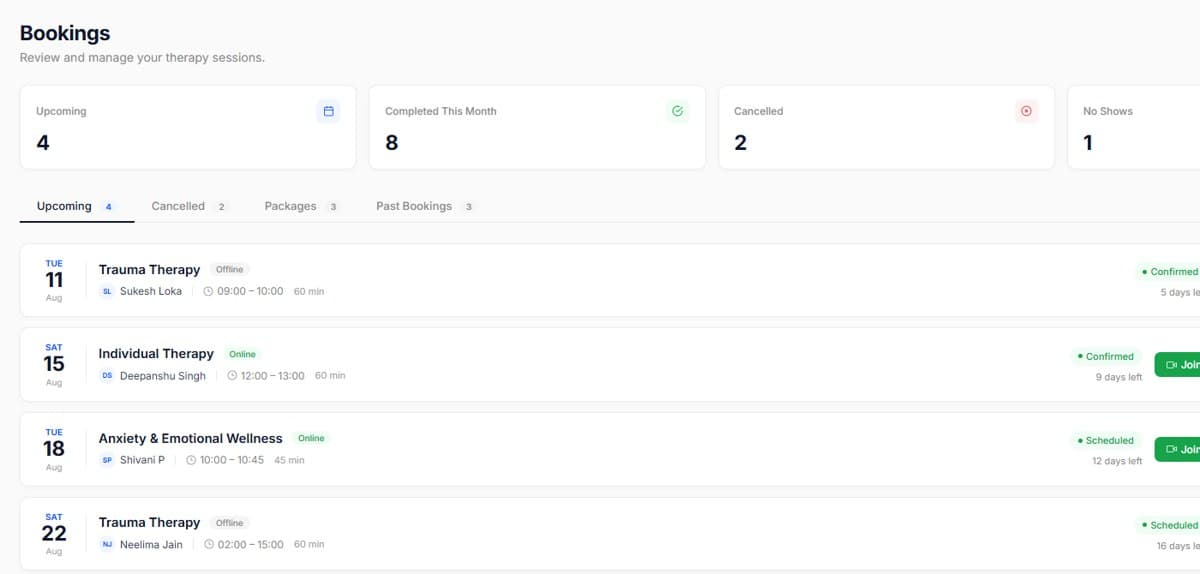
Use a 10-minute buffer between sessions so notes never run into the next client.
Name services the way clients say them, not the way insurers write them.

Start your free trial today. No credit card required, set up your workspace in 10 minutes and see how PsychDesk simplifies your practice.
Want the detail first?
Read the product documentation