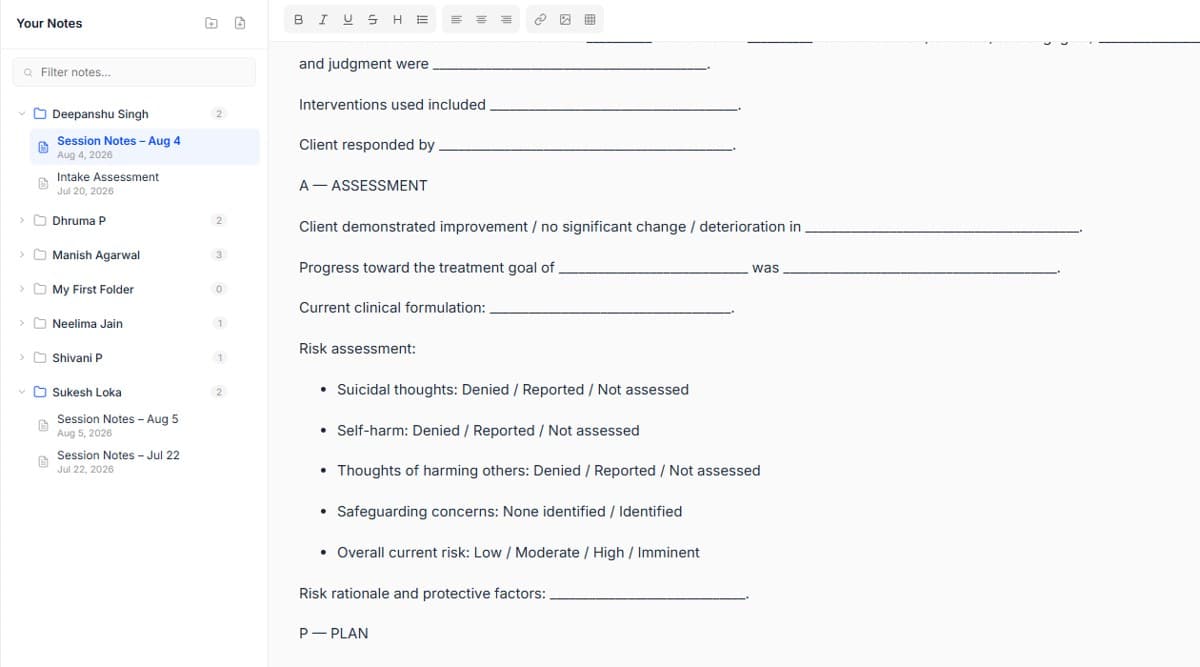
Create the task where it happens
Add a follow-up while you are still in the note, call the family, share a worksheet, check medication adherence, and it links back to that session forever.
The work between sessions is where care is either continuous or accidental. Follow Up turns intentions into dated, owned tasks across your whole caseload.
Add a follow-up while you are still in the note, call the family, share a worksheet, check medication adherence, and it links back to that session forever.
In group practices and clinics, assign to a teammate. They see it on their own list, so nothing depends on you remembering to forward it.
One list, sorted by what is due, across every client. Clear it and the between-session work for the day is genuinely done.
For clients who need closer contact, a repeating follow-up keeps the rhythm without you rebuilding it every week.
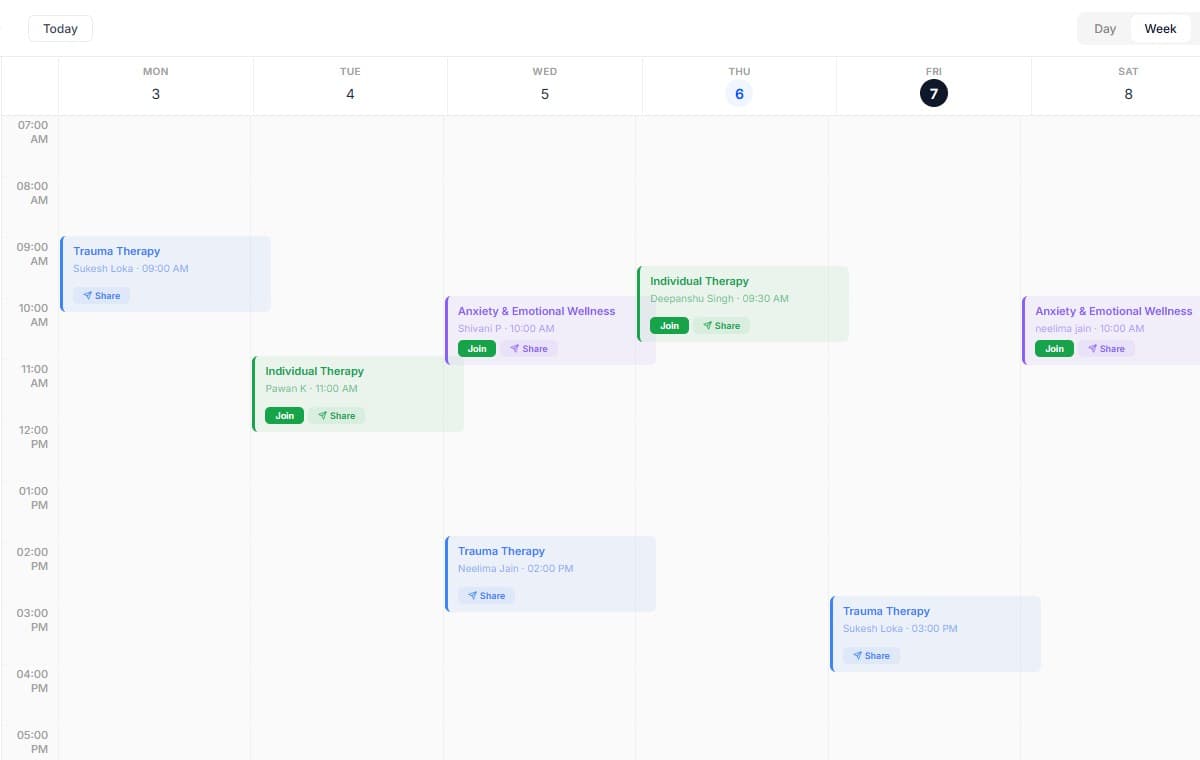
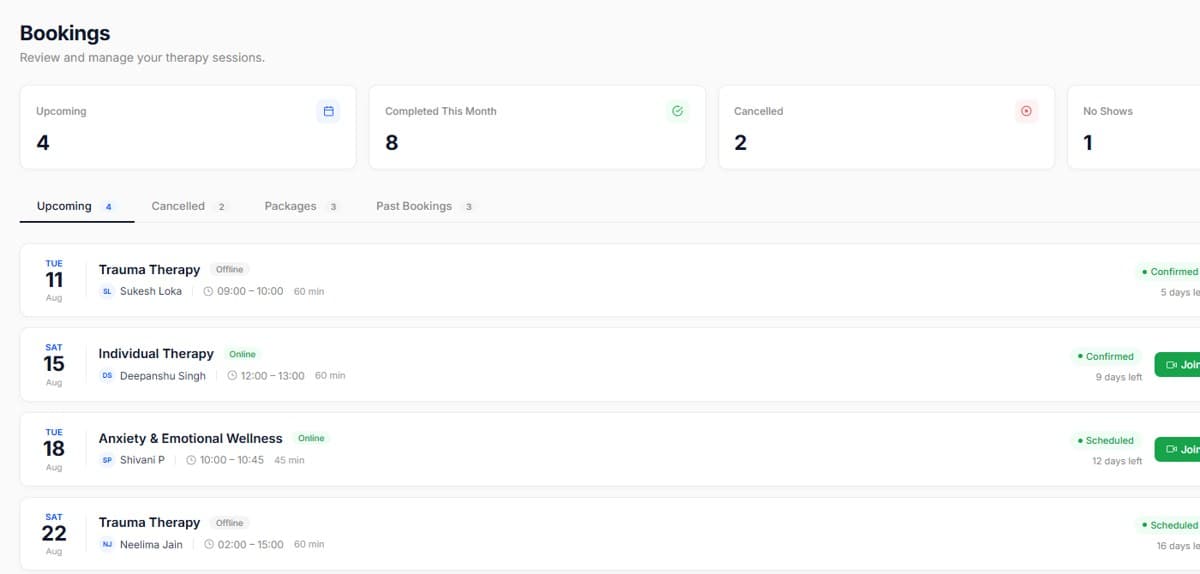
Real screens from the product, so you know exactly what to expect before you start.
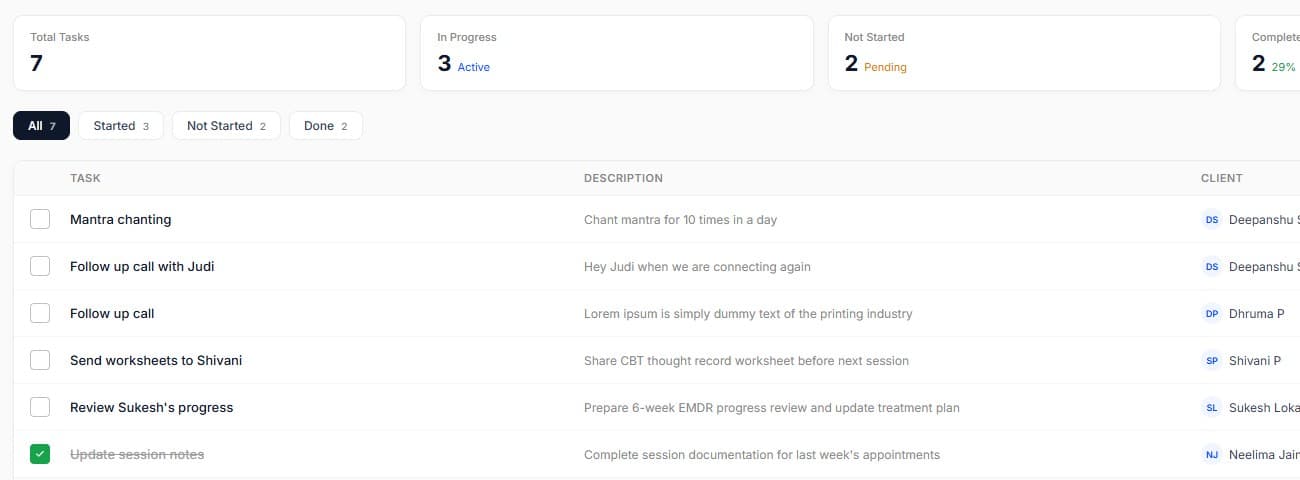
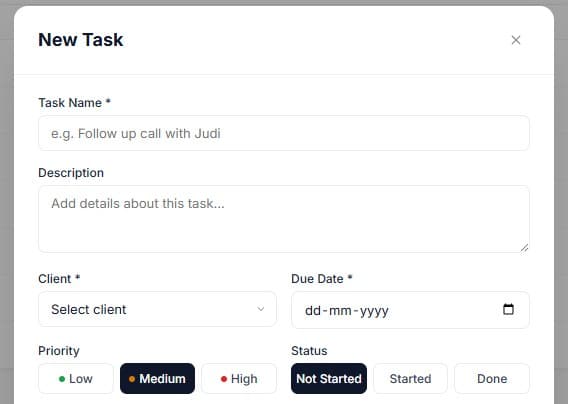
Keep task titles action-first: 'Call' , 'Share', 'Confirm'.
Review overdue follow-ups every Friday, it is the fastest read on continuity of care.

Start your free trial today. No credit card required, set up your workspace in 10 minutes and see how PsychDesk simplifies your practice.
Want the detail first?
Read the product documentation